New · One-click route optimisation

The simplest way to run a service business

Recurring schedules, optimised routes, branded invoices, and a dedicated app for the field. Built for owner-run trades and the crews they grow into.

14-day trial No card required Squeegee CSV imports recognised
The core loop

Schedule. Route. Invoice.

The work that runs on spreadsheets, sticky notes, and group chats today. In one tool, properly built for it.

Scheduling

Recurring service plans book themselves. Drag stops to reorder the day. Add a one-off in two clicks.

Routing

Every stop on a live map. One click optimises for the shortest path. Hourly weather, in the same view.

Invoicing

Finished visits become draft invoices. Branded PDFs, sent by email, paid by Stripe. Status tracking, end to end.


Scheduling

The week, on one page.

Every recurring service plan in one table. See who’s next, what they pay, when you last visited. Add a one-off without leaving the page.
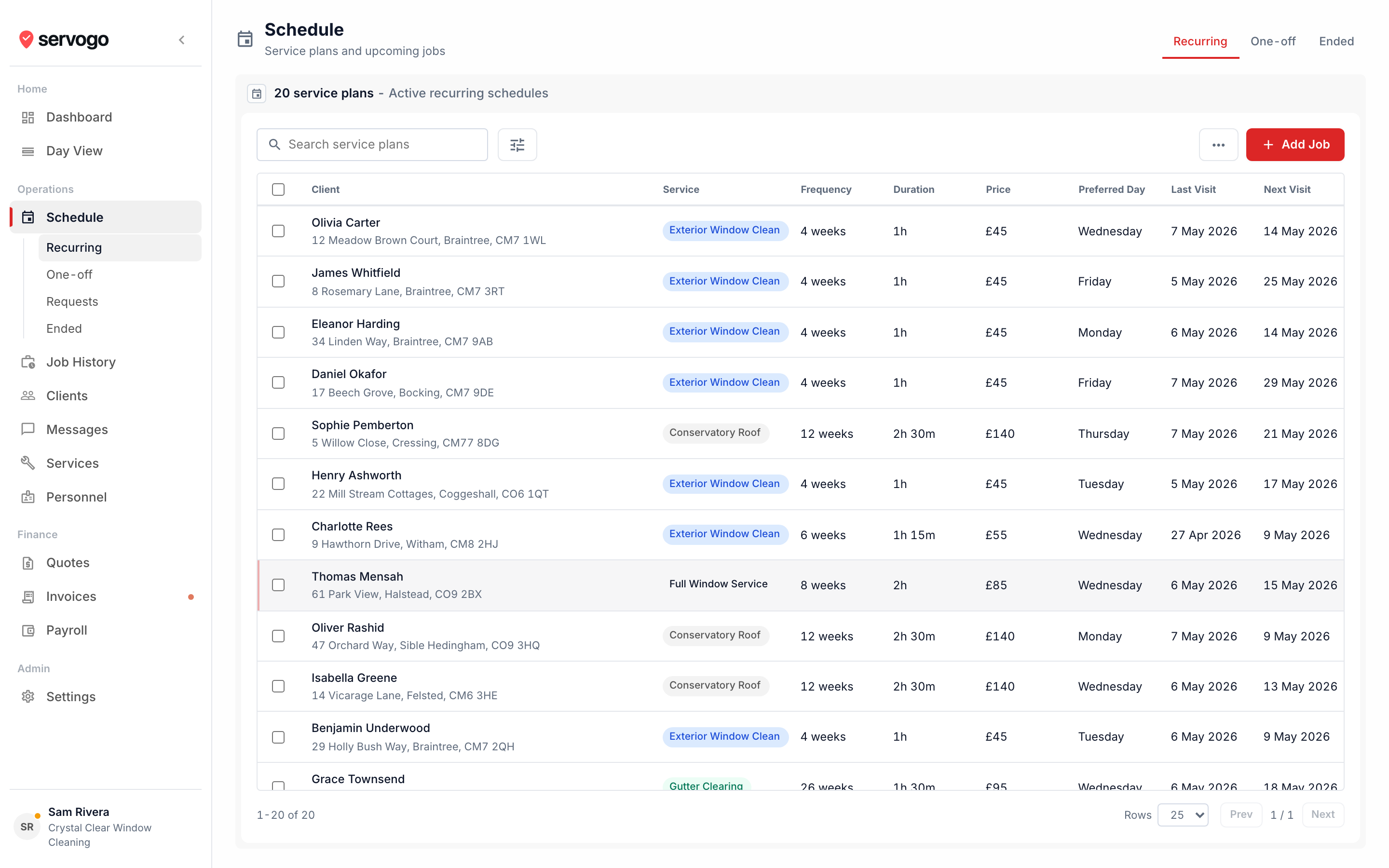
  • Recurring plans that hold up. Weekly, monthly, specific-day frequencies. Servogo books the next visit the moment the last one closes.
  • Per-tech home address for routing. Each technician has their own home address, so route optimisation can start and end the day in the right place.
  • Migrate in an evening. Bulk CSV import with auto field-mapping. Squeegee column names recognised out of the box, so there’s nothing to remap.
app.servogo.co.uk / schedule
Servogo schedule: recurring service plans
Routing

The shortest path through the day.

Plot every stop on the day view’s map. One click optimises for distance. Drag a stop, and arrival times recalculate live.
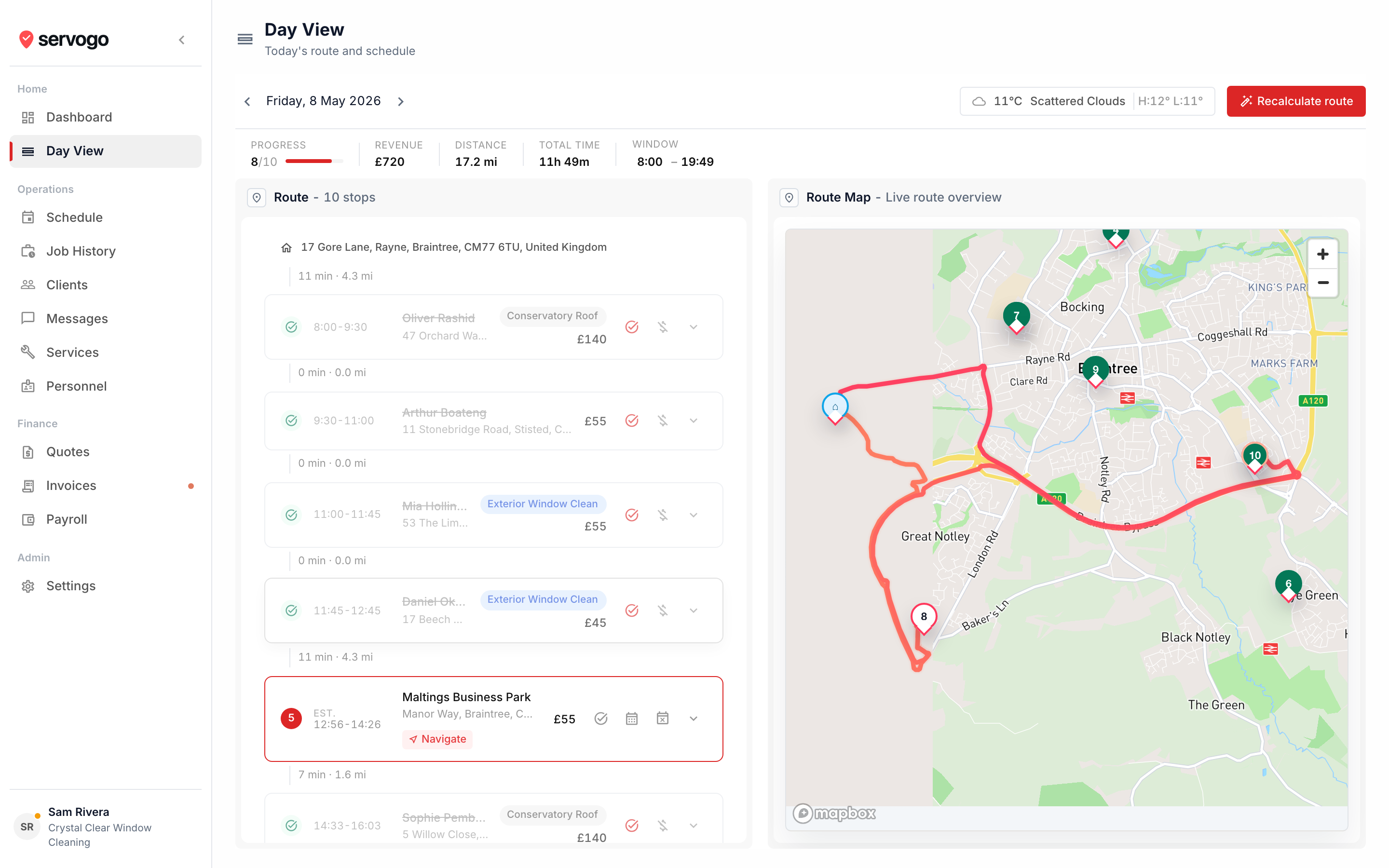
  • One-click optimise. Shortest-path ordering with optional home-start and home-return. Configurable breaks between stops, recalculated whenever the day shifts.
  • Weather on the route. Current conditions and the hourly forecast for the day, sourced from OpenWeather, alongside the stop list.
  • Built for the field, too. Each technician opens Servogo on their phone, sees only their own stops, and taps to hand off to maps for navigation.
app.servogo.co.uk / day-view
Servogo day view: live route and stop list
Invoicing

From finished job to paid, faster.

Servogo turns each completed visit into a draft invoice. Per visit, rolling per client, or batched at month end. Pick the cadence that suits.
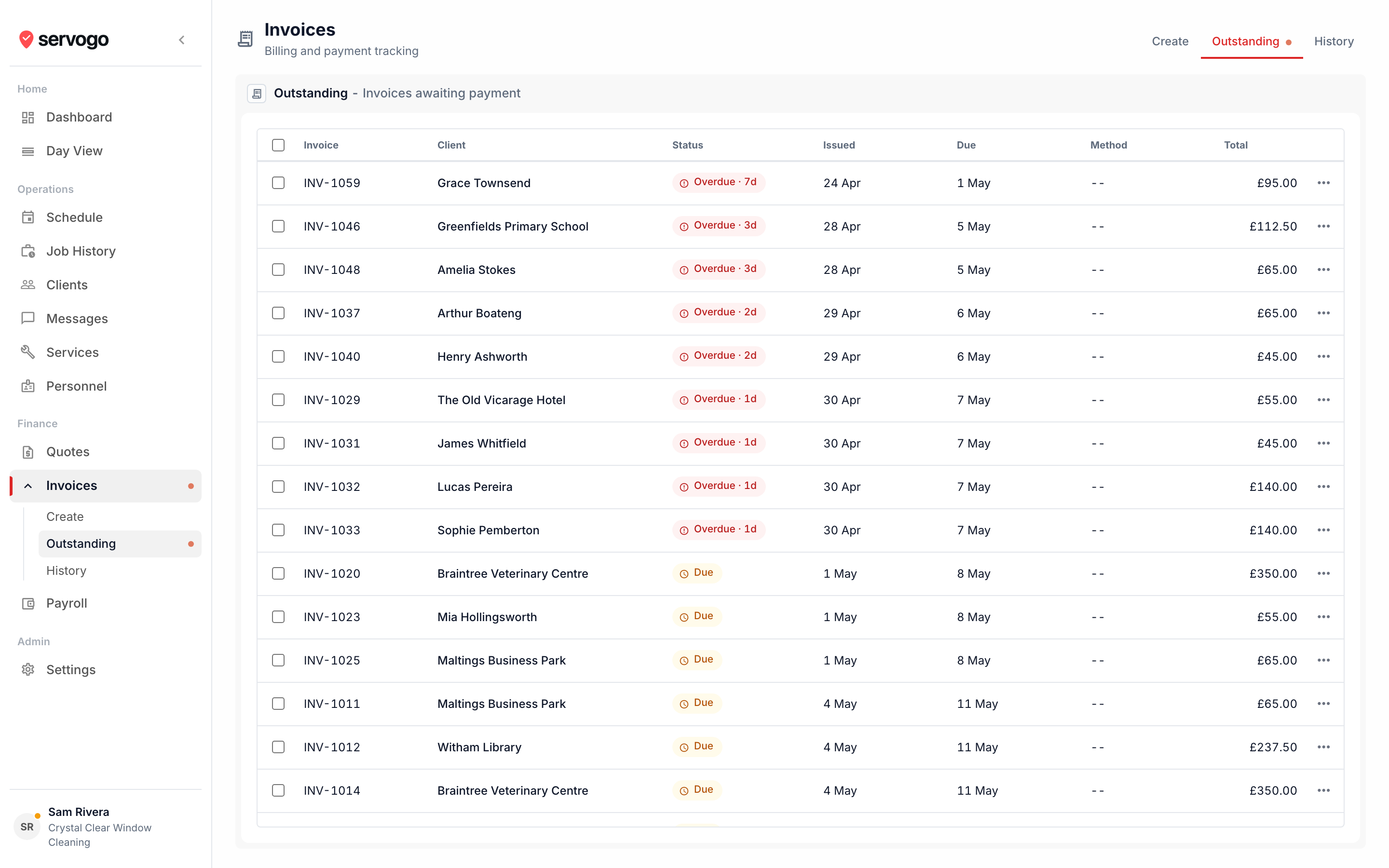
  • Get paid online. Stripe payment link on every invoice. The customer pays, the invoice marks itself paid. No reconciliation.
  • Branded for your business. Your logo and primary colour on every PDF, email, and quote. VAT-inclusive or exclusive, your numbering scheme, your terms.
  • Quotes that flow into jobs. Draft, send, accept, then convert into scheduled work in one click. No double entry between systems.
app.servogo.co.uk / invoices
Servogo invoices: outstanding payments
Pricing

Priced for the way trades grow.

A flat rate while you’re solo. Per-seat once you’ve hired a crew, getting cheaper as you scale. Annual billing saves 20% on every plan.

Sole Trader
£25/month

For owner-operators running the route themselves. £20/month billed annually.

Start free
  • 1 user
  • Scheduling & day view
  • Route optimisation
  • Client directory & job history
  • Invoicing & quotes
Pro
£18/user/month

For established crews of 11 to 25. £14.40/user billed annually.

Start free
  • 11 to 25 users
  • Everything in Team
  • Lower per-seat rate

All plans include a 14-day free trial. No card required to start. Prices exclude VAT.

Questions

Asked & answered.

Anything else on your mind, email us. Real humans, no bot triage.

I'm moving from Squeegee. Will my client list come across?
Yes. Export your clients from Squeegee to CSV and drop the file into Servogo's import dialog. Squeegee's column names are recognised out of the box, so there's nothing to remap. Bulk CSV import with auto field-mapping works for any other tool too. Email us during the trial if you want a hand.
Can my technicians log in and see their own jobs?
Yes. Each technician gets their own login. They open Servogo on their phone and see only their own route: their stops, addresses, and notes for each visit. They can mark visits complete and don't see other technicians' routes, the full client list, or pricing. Admins see everything. Access levels are set when you send the invite.
How does pricing work as my team grows?
Solo, Sole Trader is a flat £25 per month. Once you hire, Team is £22 per user / month for 2 to 10 users, and Pro drops to £18 per user / month for 11 to 25, so the per-seat rate gets cheaper as you grow. Annual billing saves 20% on every plan. Adding a teammate adjusts your subscription on the next billing cycle.
Do you connect to Xero, QuickBooks, or FreeAgent?
Not directly, not yet. Clients, service plans, job history, invoices, and payroll all export to CSV, which most accounting tools accept. Stripe payment links handle online card payments, and manual payments (cash, bank transfer, etc.) record in one click.
Can I export my data if I leave?
Always. Clients, service plans, job history, invoices, and payroll all export to CSV with one click. Your data is yours, and you can take it with you any time.
How long is the trial?
14 days, no card up front. You get the full Team plan during the trial: route optimisation, up to 10 users, quotes, invoices, payroll tracking, the lot. Convert when you're ready, not when a timer says so.
Can I cancel any time?
Yes. One click in Settings, no retention call, no “are you sure” gauntlet. Your account stays active until the end of the current billing period.