Cleaning

Cleaning business software for regular domestic and commercial contracts

Recurring schedules, a team app for your cleaners, invoicing that gets you paid by card, and a full history of every clean on record.

14-day free trial No card required UK-based

Recurring schedules

Recurring cleans that book themselves.

Set up a service plan for each client once. The next clean is booked automatically the moment the last one closes. Your regular work runs on its own.

  • Weekly or fortnightly residential, monthly commercial. Each client runs on their own frequency. Mix and match across your whole client list without any manual scheduling.
  • Completion photos and notes. Cleaners mark jobs done in the app with optional photos. Logged against the visit record for your peace of mind and theirs.
  • Per-property notes in the app. Access instructions, alarm codes, client preferences. Visible to the cleaner when they open the job, not buried in a spreadsheet.
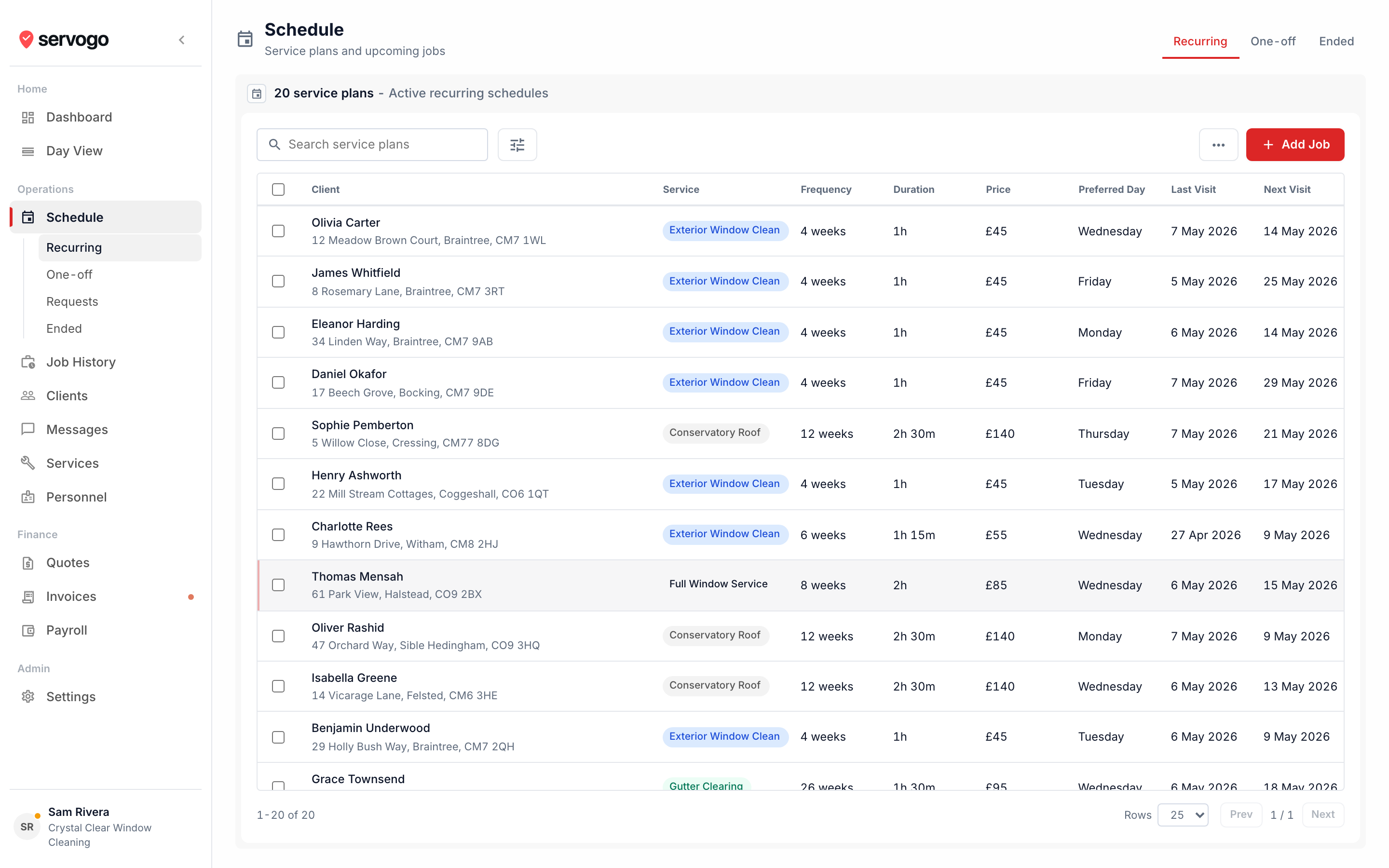
app.servogo.co.uk / schedule
Servogo schedule showing recurring cleaning visits

Your team

Your cleaners know exactly where to be.

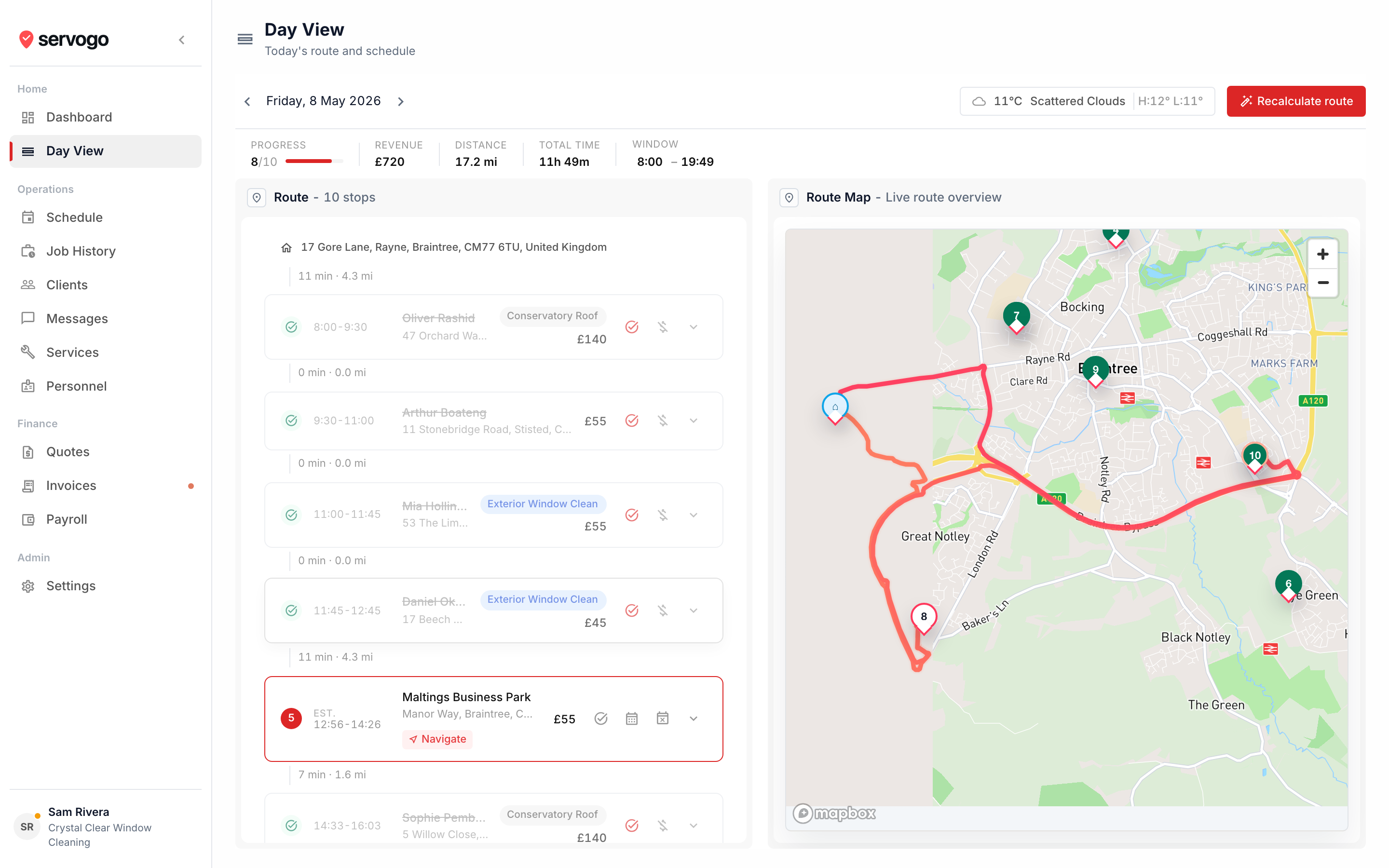
Each cleaner gets their own app. Their route for the day, the address and job notes for each property, and a one-tap handoff to their maps app for navigation.

  • No access to pricing or other routes. Cleaners see their own jobs only. Rates, other staff, client financials, none of that is visible to them.
  • Payroll tracking per cleaner. Set a commission percentage or flat rate per visit for each team member. Servogo calculates earnings from completed jobs, by pay period.
  • Works offline. The app caches the day's route on load. Cleaners can complete jobs, take photos, and add notes without a signal. Syncs when they're back on data.
app.servogo.co.uk / day-view
Servogo day view for cleaning team route

Questions

Cleaning business software, answered.

How does Servogo handle recurring cleaning contracts?
Each client gets a service plan with their cleaning frequency. Servogo automatically books the next clean when the previous one is marked complete. Weekly domestic cleans, fortnightly office visits, whatever the contract says, it runs without you touching it.
Can I manage multiple cleaners on different jobs at the same time?
Yes. Each cleaner has their own route and their own login. They see only their own jobs in the tech app. Owners and managers see all routes. You set which days each cleaner works, and the schedule respects it.
Can cleaners take photos at the end of a job?
Yes. The tech app lets cleaners mark a job complete with optional completion notes and photos. These are logged against the visit record. Useful for end-of-clean sign-off or flagging any issues at a property.
How does invoicing work for a cleaning business?
Each completed clean creates a draft invoice. Send it per visit for residential clients, or batch multiple cleans into a monthly invoice for commercial accounts. Clients pay by email link using Stripe. The invoice marks itself paid when they do.
Can I send quotes before taking on a new client?
Yes. Create a quote with line items, send it by email, and the client accepts via a link. Once accepted, convert it into a scheduled job in one click. No double entry.
Is there a way to keep notes on each property?
Yes. Client records support notes alongside contact details, service plans, and visit history. Notes are visible in the tech app when a cleaner opens the job, so they know about any access instructions, alarm codes, or preferences before they arrive.

See how Servogo compares

Servogo vs Jobber Looking for a Jobber alternative?