Gardening

Gardening business software for recurring maintenance schedules

Manage your regular clients, plan each day's route, invoice after every visit, and keep your team organised from one place.

14-day free trial No card required UK-based

Recurring schedules

Every regular client, on their own schedule.

Set up a service plan for each client once. Servogo books the next visit automatically when the last one is marked complete. Your regular work takes care of itself.

  • Mixed frequencies in one schedule. Weekly lawn cuts, fortnightly maintenance, monthly tidies. Each client runs on their own timetable without any manual intervention.
  • Quick reschedule when things shift. Weather cancellation or a client holiday? Move the job from the day view in two clicks. The recurring plan resumes from the new date.
  • Full visit history per client. Every completed job is logged with date, notes, and photos. Useful when a client queries when you last visited or what work was done.
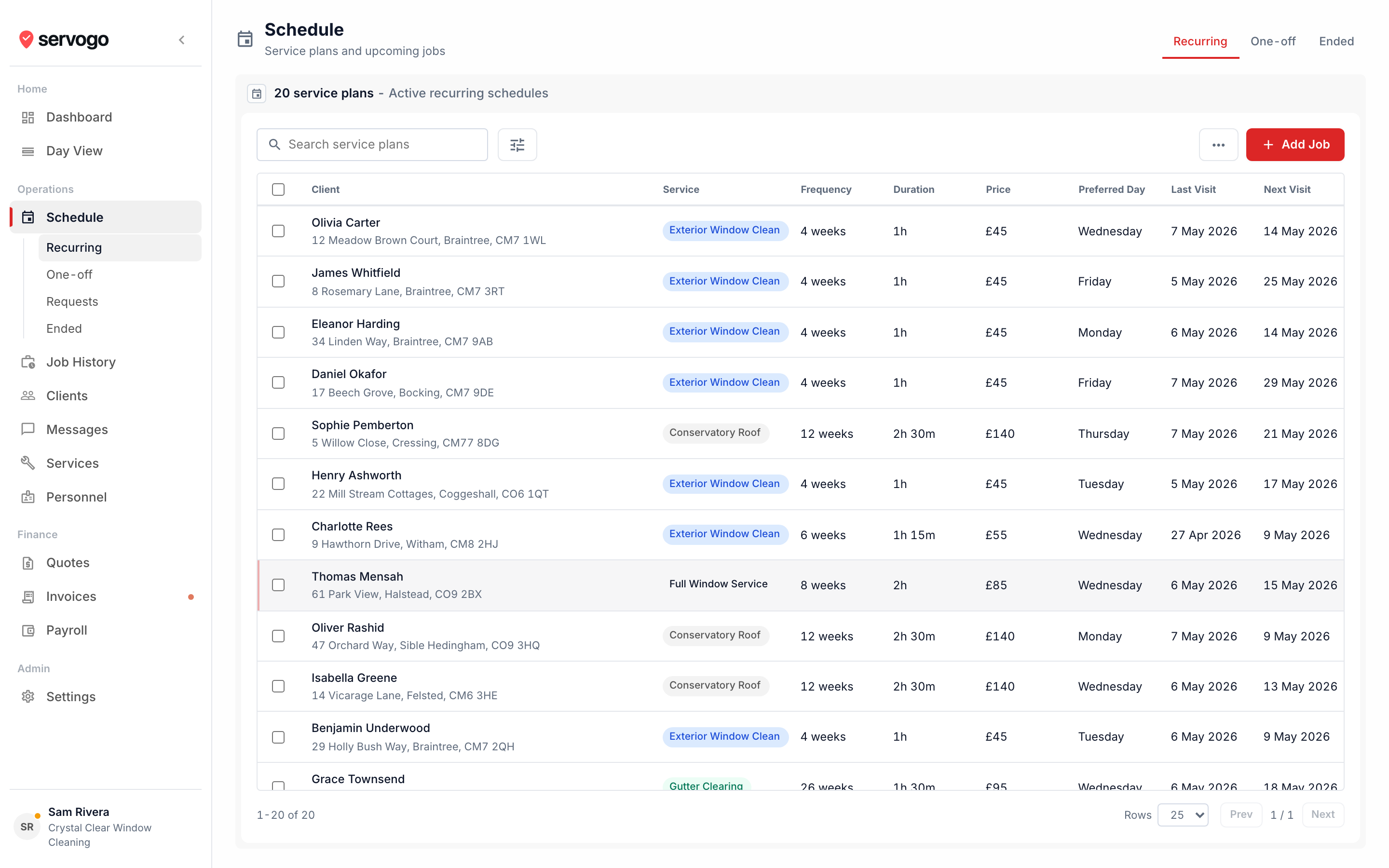
app.servogo.co.uk / schedule
Servogo schedule view for gardening business

Route planning

Less driving, more gardening.

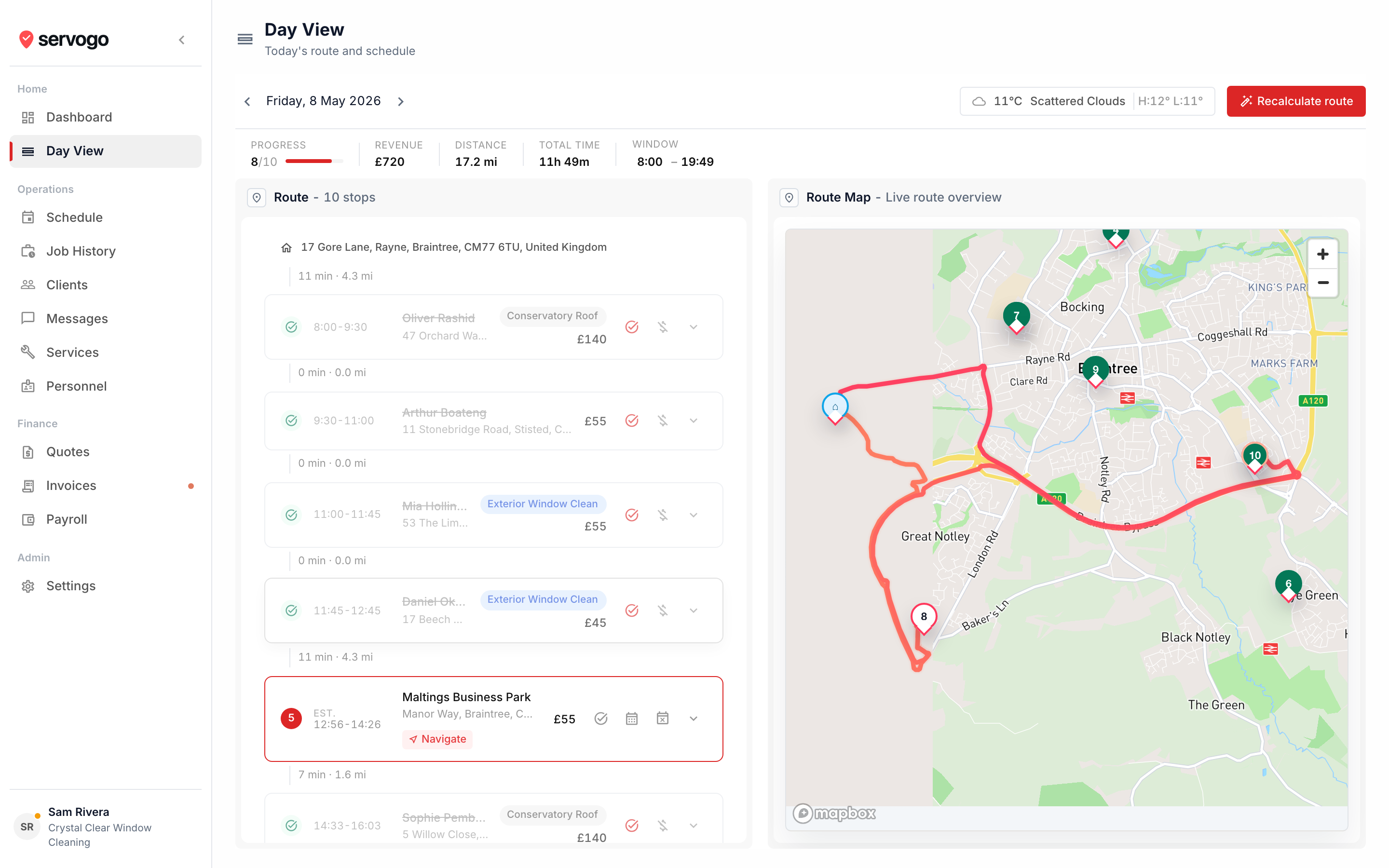
Plot the day's jobs on a map. One click finds the shortest order between them. Drag a stop if you need to, and times update accordingly.

  • Separate routes per gardener. Each member of your team has their own day view with their own stops. You see all routes, they see only theirs.
  • Weather for the day. Hourly forecast alongside the stop list, so you know before you leave whether you're likely to be rained off.
  • One-tap navigation. The tech app hands off to the device's maps app for turn-by-turn directions. Works on any phone, no extra setup.
app.servogo.co.uk / day-view
Servogo route view for gardening rounds

Questions

Gardening business software, answered.

How does Servogo handle different visit frequencies for different clients?
Each client has their own service plan with their own frequency. One client might be weekly lawn care, another fortnightly maintenance, another a monthly tidy. They all run independently on their own schedule, automatically booking the next visit when the last one closes.
Can I manage multiple gardeners on different jobs each day?
Yes. Each gardener has their own route, their own login, and sees only their own jobs in the tech app. You see all routes from the main account. Per-tech working days let you set which days each person is available, and the schedule respects it.
How does invoicing work for a gardening business?
Each completed visit generates a draft invoice. You can send one per visit, or roll multiple visits into a monthly invoice per client — useful for regular maintenance contracts. Invoices go by email with a Stripe payment link. Customers pay online, it marks itself paid.
Can clients accept a quote before I schedule the work?
Yes. Create a quote with line items, send it to the client by email, and they accept via a link. Once accepted, convert it into a scheduled job in one click. No re-entering anything.
Can I import my existing client list?
Yes. Bulk CSV import with auto field-mapping works for exports from most other tools. Drop in the file and Servogo maps the columns. Email us during the trial if you want a hand.
Does the tech app work without mobile signal?
The app loads and caches the day's route when it opens. Your gardeners can mark jobs complete, add notes, and take photos in areas without signal. Everything syncs when they're back on data.

See how Servogo compares

Servogo vs Jobber Looking for a Jobber alternative?